MFA Temporary release
MFA Temporary release (for emergency situations, such as when your smartphone has broken)
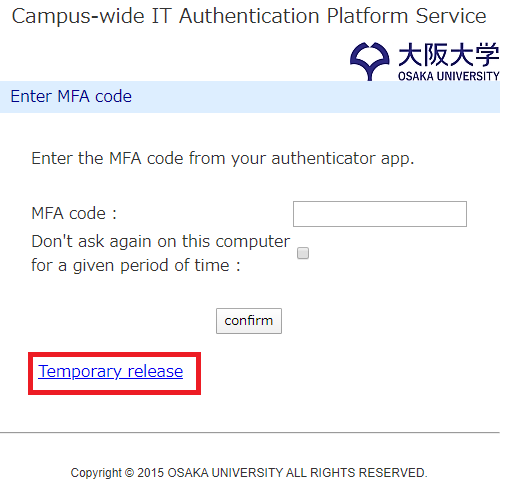
--> If you want to temporarily suspend MFA when the mobile application is unavailable, click the "temporary release" link at the bottom of the MFA code confirmation page.This is for emergency use and can only be used a maximum of 5 times.
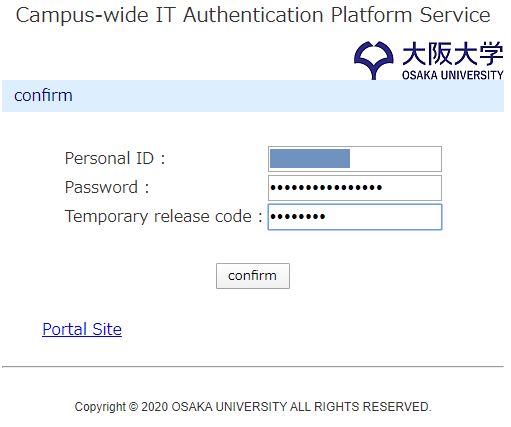
--> On the temporary release page, enter your Osaka University Personal ID, password, and temporary release code and press the "confirm" button.
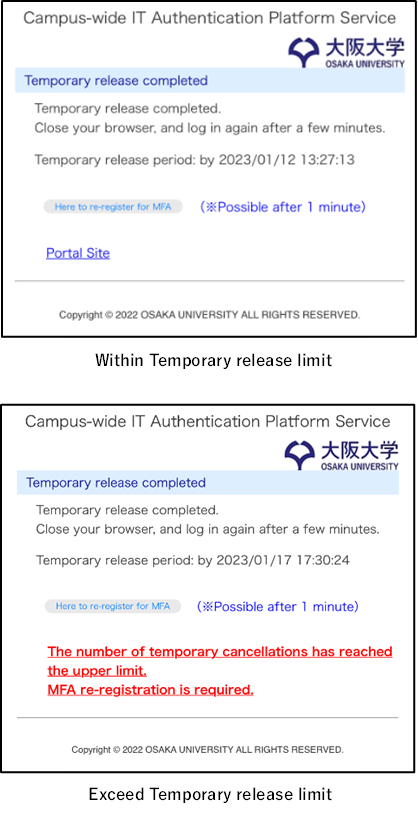
--> The temporary release completion page is displayed. MFA will be deactivated until the time indicated. *After the specified time, the MFA code confirmation page will be displayed again. The temporary release can only be used a maximum of 5 times.