
認証の方法 - Nature Publishing Group
-
https://www.nature.com/ にアクセス
-
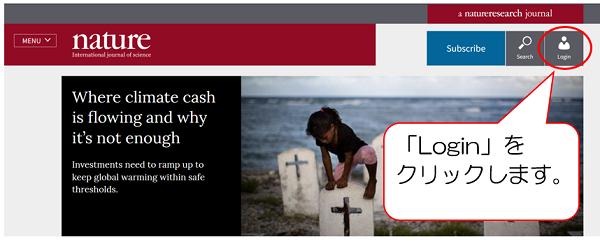
画面右上の「Login」をクリックします。
-
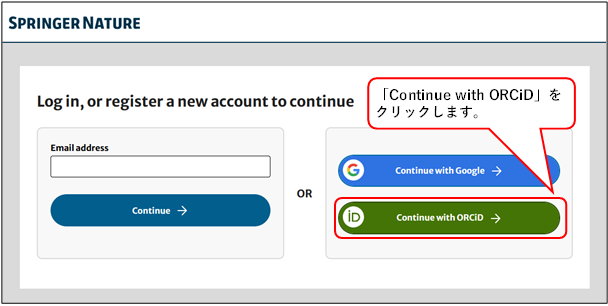
「Continue with ORCiD」をクリックします。
-
「Sigh in through your institution」をクリックします。

-
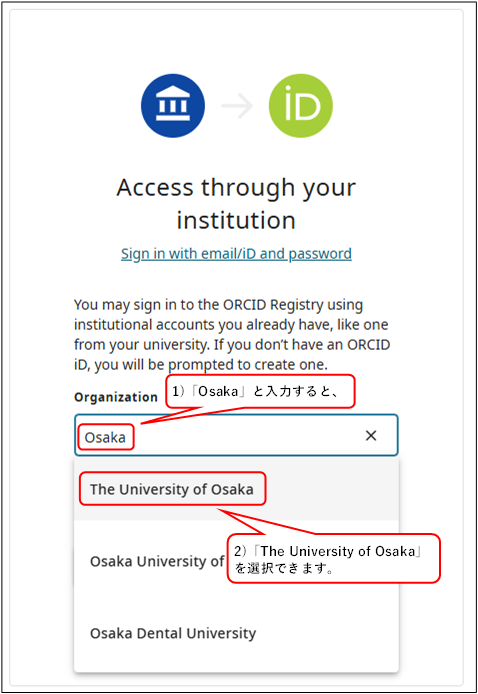
「Osaka」と入力し、選択画面の「The University of Osaka」をクリックします。
-
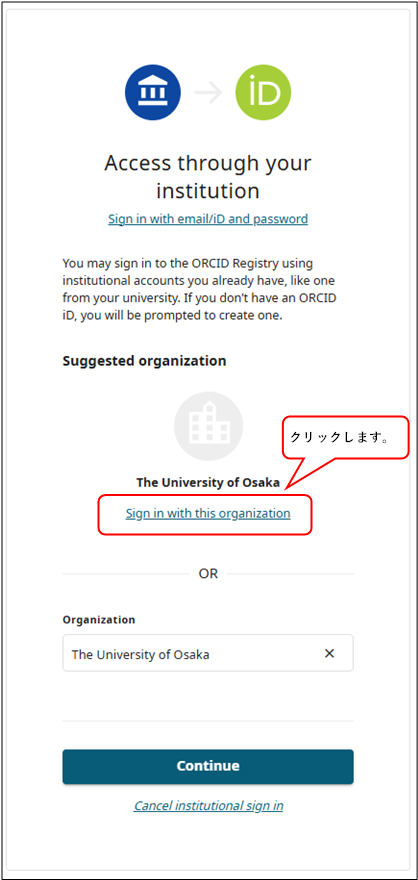
「Suggested organization」に"The University of Osaka"と表示されているのを確認し、「Sigh in with this organization」をクリックします。
-
大阪大学 学術認証フェデレーションのログイン画面が表示されますので、
「大阪大学個人ID」と「パスワード」を入力し、「ログイン(Login)」をクリックします。

連絡先